openSUSE:1-wire
启用
1-wire 接口可以与真实的 1-wire 主接口(例如 mxc-w1、omap-hdq 等)或 GPIO 一起使用。在真实的 1-wire 主接口上,您无需执行任何操作,因为该接口已在您的设备树中注册。
如果您想在常规 GPIO 上使用 w1-gpio 驱动程序,则需要更新您的设备树以添加带有所需信息的 w1-gpio 节点,包括 GPIO 编号。
对于 Raspberry Pi (1, 2, 3),您需要在启动时启用 1-wire 接口(在 gpio4 上),将以下行添加到您的 /boot/efi/extraconfig.txt 文件中
 # Enable 1-wire interface on gpio4 (default if ,gpiopin=X is omitted)
 dtoverlay=w1-gpio,gpiopin=4
使用 /sys 文件系统进行交互
检查从设备
默认情况下,w1 总线会持续探测。
您可以使用以下命令检查找到的从设备数量
cat /sys/bus/w1/devices/w1_bus_master1/w1_master_slave_count
您还可以在 /sys/bus/w1/devices 文件夹中找到从设备。
Nanopi Neo Air
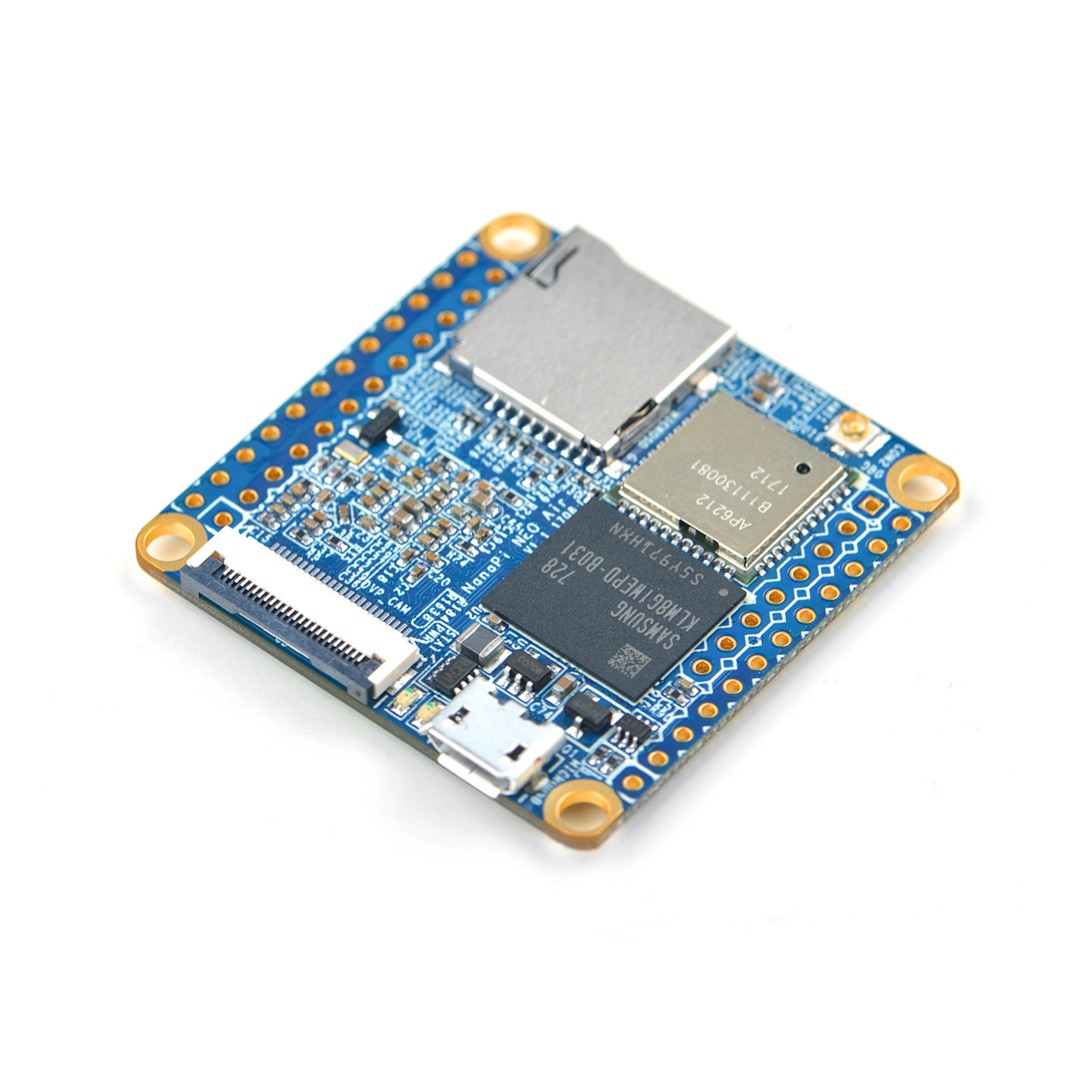
读取 1-wire 传感器(在本例中为 DS18x20 温度设备)需要更多的工作。我在这里描述的是基于 Leap 15.0 JeOS 镜像 for the Nanopi Neo,它需要进行一些小的更改才能在 Nanopi Neo Air 上工作。在以下内容中,我假设您已经在 Nanopi Neo Air 上安装了可用的 openSUSE。我将逐步描述该过程,不做过多解释 - 我假设您的首要任务是读取您的 1-wire 设备,理解细节是次要的,以后再来。
简要概述
要访问 Nanopi Neo 上的 1-wire 设备,您需要更新设备树,即 DTB。我建议您从比 openSUSE JeOS 中的 DTB 更全面的 DTB 开始,后者有点精简。我将 FriendlyCore e-flasher 镜像中的 DTB 作为起点。(无论如何,您都需要它才能使 Wifi 接口工作)。
逐步操作
(a) 您首先使用“dtc”反编译 DTB。
dtc -I dtb -O dts -o <your.dts> <your.dtb>
(b) 使用您最喜欢的编辑器编辑设备树源,并查找以下条目"pinctrl@01c20800"并添加一个标签gpio0" :
gpio0:pinctrl@01c20800
pinctrl@01c20800 是 gpiochip0,您可以在这里找到它:/sys/class/gpio/gpiochip0
(c) 在此部分中,例如在“csi”条目之上,添加以下内容
ds1820_pins:w1_pins@0 {
label = "Dallas 1-wire";
pins = "PG11";
function = "gpio_in";
pull = <0x1>;
};
上面,我使用 GPIO11 并指示它具有外部上拉电阻。
(d) 在源文件的末尾附近,添加此节点
onewire {
compatible = "w1-gpio";
pinctrl-names = "default";
pinctrl-0 = <&ds1820_pins>;
gpios = <&gpio0 0x0 203 0x1>;
status = "okay";
};
我将其添加到“leds”节点之后。“203”是 GPIO11 的 Linux 编号。
(e) 编译新的 dtb
dtc -b 0 -@ -I dts -O dtb your-new.dts >/boot/dtb/your-new.dtb
(f) 根据需要调整您的启动脚本
(g) 修改 /etc/modprobe.d/99-local.conf,并添加以下行
options w1-therm strong_pullup=2
(h) 重启。
结果
如果您已经完成了这些步骤,并且连接了 DS18x20 传感器,您应该在 /sys/bus/w1/devices/ 下看到类似以下内容
nano3:~ # l /sys/bus/w1/devices/
total 0
drwxr-xr-x 2 root root 0 Jan 10 10:21 ./
drwxr-xr-x 4 root root 0 Sep 27 11:06 ../
lrwxrwxrwx 1 root root 0 Sep 27 11:07 28-0000085bd222 -> ../../../devices/w1_bus_master1/28-0000085bd222/
lrwxrwxrwx 1 root root 0 Sep 27 11:07 28-0000092a9a2b -> ../../../devices/w1_bus_master1/28-0000092a9a2b/
lrwxrwxrwx 1 root root 0 Dec 30 19:49 28-00000a4877fa -> ../../../devices/w1_bus_master1/28-00000a4877fa/
lrwxrwxrwx 1 root root 0 Jan 10 10:21 w1_bus_master1 -> ../../../devices/w1_bus_master1/
"28-0000085bd222" 是 28 类型的设备 (DS18B20),"0000085bd222" 是唯一的 48 位标识符。您可以通过以下方式读取设备
cat /sys/bus/w1/devices/28-0000085bd222/w1_slave
da fe 4b 46 7f ff 06 10 37 : crc=37 YES
da fe 4b 46 7f ff 06 10 37 t=-18375
以上意味着
crc check positive, temperature is -18.375C.
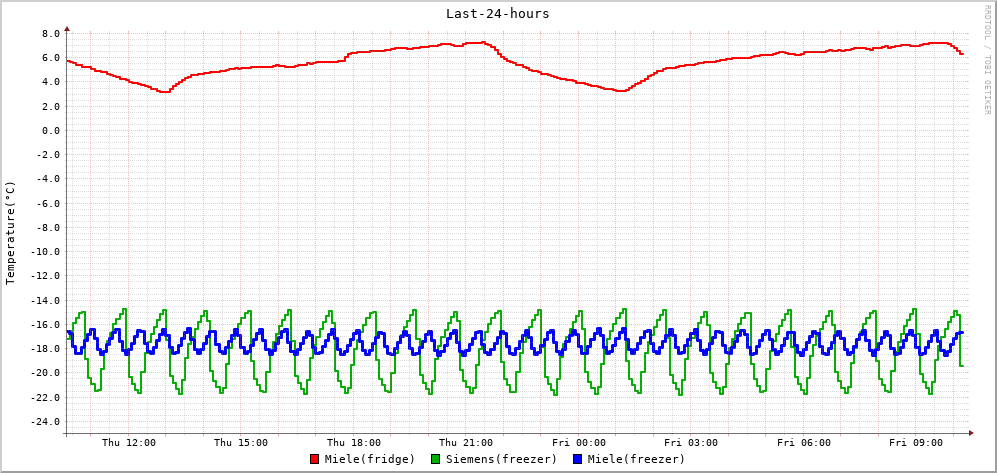
实际示例
使用我在这里描述的内容,我监控了我们地下室中一台冰箱和两台深冷冻柜的温度