Portal:Deepin

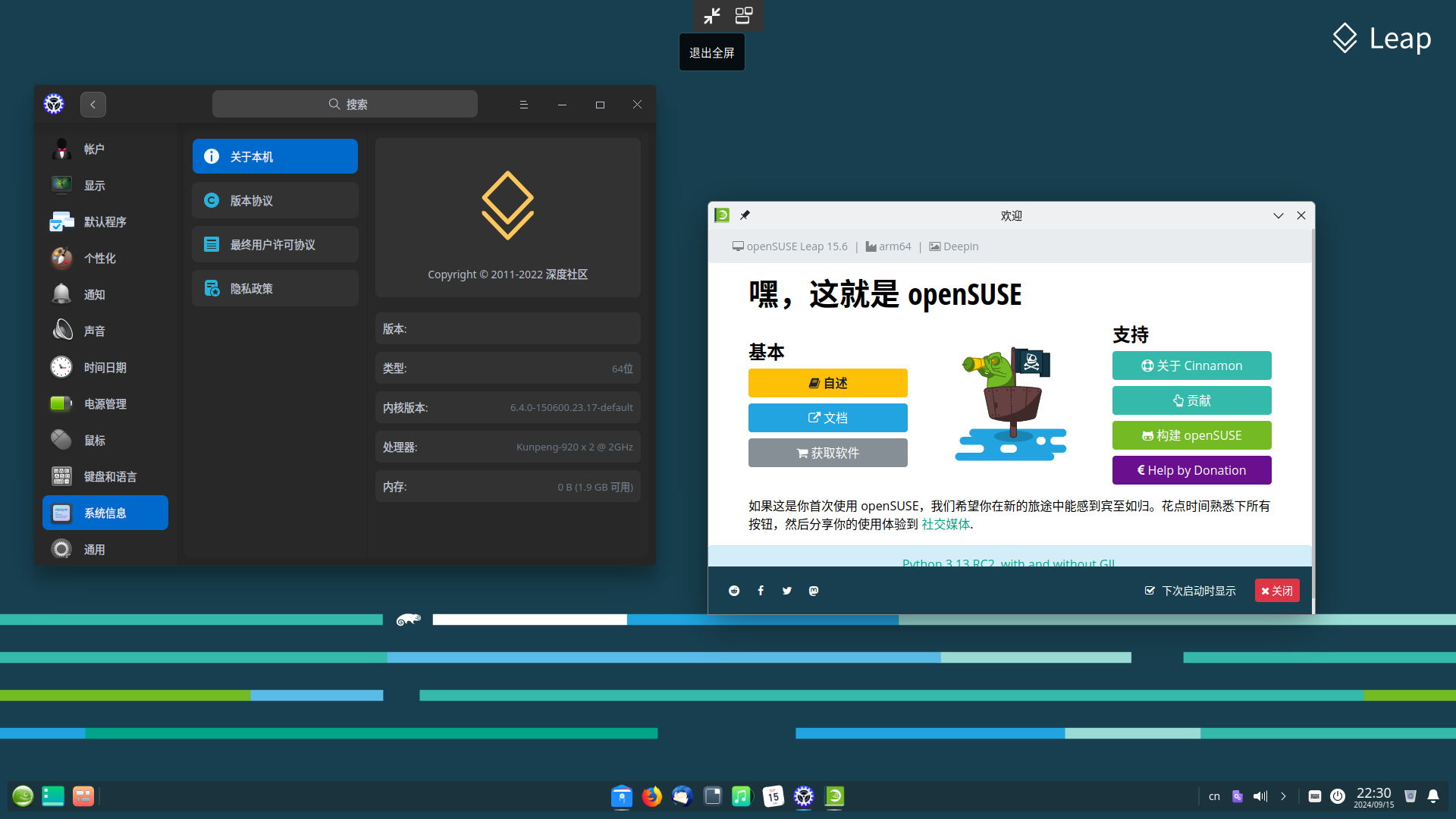
对于 openSUSE Leap,您需要调整仓库 URL 以指向适用于您系统的正确 Leap 仓库。
# add the devel project repository for Deepin to zypper
# for other distributions you need to adjust the URL here to point to the proper repository for your case
root# zypper ar https://download.opensuse.org/repositories/X11:/Deepin:/Factory/openSUSE_Tumbleweed deepin-factory
# refresh zypper repositories
root# zypper ref
New repository or package signing key received:

  Repository:       deepin-factory
  Key Fingerprint:  EED7 FE07 D0FC DEF0 E5B4 D4A9 C0DA 4428 1599 EA1E
  Key Name:         X11:Deepin:Factory OBS Project <X11:Deepin:Factory@build.opensuse.org>
  Key Algorithm:    RSA 2048
  Key Created:      Sat Apr 29 01:27:01 2023
  Key Expires:      Mon Jul  7 01:27:01 2025
  Rpm Name:         gpg-pubkey-1599ea1e-644c5645

    Note: Signing data enables the recipient to verify that no modifications occurred after the data
    were signed. Accepting data with no, wrong or unknown signature can lead to a corrupted system
    and in extreme cases even to a system compromise.

    Note: A GPG pubkey is clearly identified by its fingerprint. Do not rely on the key\'s name. If
    you are not sure whether the presented key is authentic, ask the repository provider or check
    their web site. Many providers maintain a web page showing the fingerprints of the GPG keys they
    are using.

Do you want to reject the key, trust temporarily, or trust always? [r/t/a/?] (r):
此项目的当前 GPG 密钥指纹是
EED7 FE07 D0FC DEF0 E5B4 D4A9 C0DA 4428 1599 EA1E。您可以通过 下载公钥,通过 gpg --import 导入它,并检查新导入密钥的 gpg --fingerprint 输出进行验证。- deepin-file-manager 中的 dbus 问题:https://bugzilla.opensuse.org/show_bug.cgi?id=1134132
- deepin-clone 中的 polkit 问题:https://bugzilla.opensuse.org/show_bug.cgi?id=1130388
deepin-api 中的 dbus 和 polkit 问题:https://bugzilla.opensuse.org/show_bug.cgi?id=1070943- deepin-file-manager 中的 polkit 问题:https://bugzilla.opensuse.org/show_bug.cgi?id=1134131
deepin-api 中的 dbus 问题:https://bugzilla.opensuse.org/show_bug.cgi?id=1136026
官方支持的应用程序
您可以从开发仓库安装这些应用程序。
Deepin Movie
这是 Deepin 桌面中的默认媒体播放器。
Deepin Movie 提供直观易用的操作界面和丰富的快捷键。您可以通过键盘完成所有播放操作,从而彻底摆脱鼠标点击的限制。Deepin Movie 可以播放各种格式的视频文件,您可以使用流媒体功能轻松享受在线视频资源。
请注意:此应用程序不支持 ARM。
sudo zypper in deepin-movie
Deepin Music Player
它是一个简单的音乐播放器,Deepin 桌面中的默认音乐播放器。
它带来了全新的 UI 设计、极致的播放体验,以及本地音乐扫描和歌词同步功能等。
sudo zypper in deepin-music-player
Deepin Calendar
Deepin 日历是一个易于使用的日历工具,主要功能包括当前日期、节气、农历和世界节日。
sudo zypper in deepin-calendar
Deepin Editor
Deepin Editor 是一个轻量级且易于使用的文本编辑器,具有一些可自定义的功能。
sudo zypper in deepin-editor
Deepin Terminal
Deepin Terminal 是一个高级终端模拟器,具有工作区、多个窗口、远程管理、Quake 模式和其他功能。
sudo zypper in deepin-terminal
Deepin System Monitor
Deepin 系统监视器提供了一个简单实用的工具,用于监视 CPU、内存和网络的用量,以及管理系统和应用程序进程,包括查看、搜索和杀死。
sudo zypper in deepin-system-monitor
社区支持的应用程序
这些应用程序都在 Tumbleweed 官方中,但您应该在配置仓库后按照 Portal:Deepin/Installation 在 Leap 上安装它们。
Deepin Clone
Deepin Boot Maker 是一个启动盘制作工具。它界面简洁,操作简单。它可以帮助用户轻松制作 deepin 启动盘。
sudo zypper in deepin-clone
Deepin Screen Recorder
Deepin 屏幕录制器是一个屏幕录制工具,它支持将录制的屏幕保存为 gif 或 mp4 格式。它可以自动选择要录制的窗口,也可以通过手动选择区域来选择。用户只需启动和停止录制过程,文件将自动保存到桌面上。
sudo zypper in deepin-screen-recorder
Deepin Voice Recorder
Deepin 语音录制器是一个简单、美观且易于使用的录音应用程序。无论您想录制自己的歌曲还是通话和会议录音,您都可以使用 Deep Recording 来完成;它还支持可视化录音、录音播放、录音列表管理和其他功能。
sudo zypper in deepin-voice-recorder
Deepin Image Viewer
Deepin 图片查看器是一个图片查看器。它时尚流畅,支持多种图片格式,用户可以查看任何类型的图片。
sudo zypper in deepin-image-viewer请访问 https://www.deepin.org/en/original 以获取屏幕截图和有关这些应用程序的更多信息。
}}
- Deepin 官方:https://www.deepin.org/en
- Deepin 源代码:https://github.com/linuxdeepin/
- Deepin 应用程序:https://www.deepin.org/en/original